01
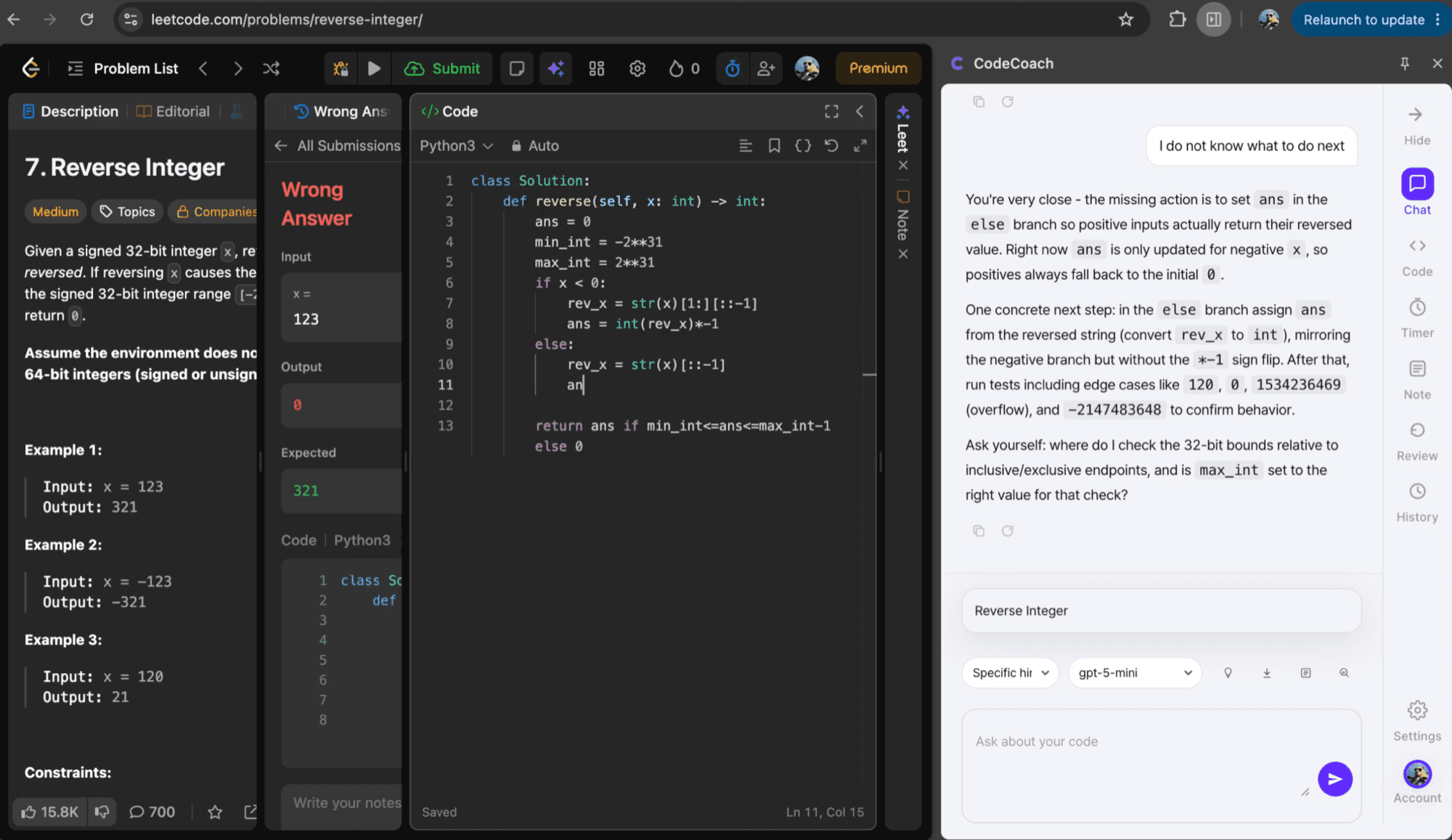
A next-step hint for an incorrect solution
Identifies the missing branch assignment in a Reverse Integer solution and suggests the next edit and boundary tests instead of revealing a complete answer.
Shipped product · Browser extension
A Chrome Web Store extension that reads the current code on LeetCode and Programmers, provides progressive hints, and keeps a review history.
Actual product
Identifies the missing branch assignment in a Reverse Integer solution and suggests the next edit and boundary tests instead of revealing a complete answer.

Showing a complete solution during interview practice may solve the immediate problem without improving the underlying weakness. At the same time, a hint that cannot read the current code and failed result remains generic.
CodeCoach reads the problem, editor code, and visible run or submission result, then provides the requested hint depth. It connects site-specific editors, streaming responses, an MV3 service worker, and local storage into an installable browser product.
LeetCode and Programmers use different editor and DOM structures, so each site has a dedicated content-script adapter. The extractor checks Monaco, Ace, and CodeMirror before falling back to textarea or DOM content. Site-specific run and submission states become one context shape, and duplicate page events are filtered before snapshot storage.
The MV3 background service worker reads the OpenAI Responses API SSE stream and forwards it to the side panel. Light, direction, and specific hint levels use prompt and display guards to limit full-solution exposure. Sessions, hint events, code snapshots, weakness tags, and review schedules remain in chrome.storage.local.
A single DOM selector broke whenever a site or editor changed. The extractor now checks Monaco, Ace, and CodeMirror before using textarea or DOM fallbacks.
The extension calls OpenAI with the user's key instead of operating a proxy. Firebase sync is optional and limited to metadata such as weakness categories and review schedules. Code snapshots and note content remain local.
Editor context, run and submission state, streaming hints, and history were verified on real LeetCode and Programmers pages. The extension was packaged with Manifest V3, supports Chrome 116 and later, and was released on the Chrome Web Store.
A DOM change on an external site can still bypass all fallbacks. AI features depend on the user's OpenAI API key and provider availability, and the product is not intended for active assessments.